Setting up your Attessa Integrated Amplifier is easy, it’ll only take a few moments before you’re listening to your favourite tunes.
Start by downloading the MaestroUnite app from the App Store or Google Play store on your smartphone, it’ll let you create a system between your Attessa devices and keep them up to date via your WiFi network.
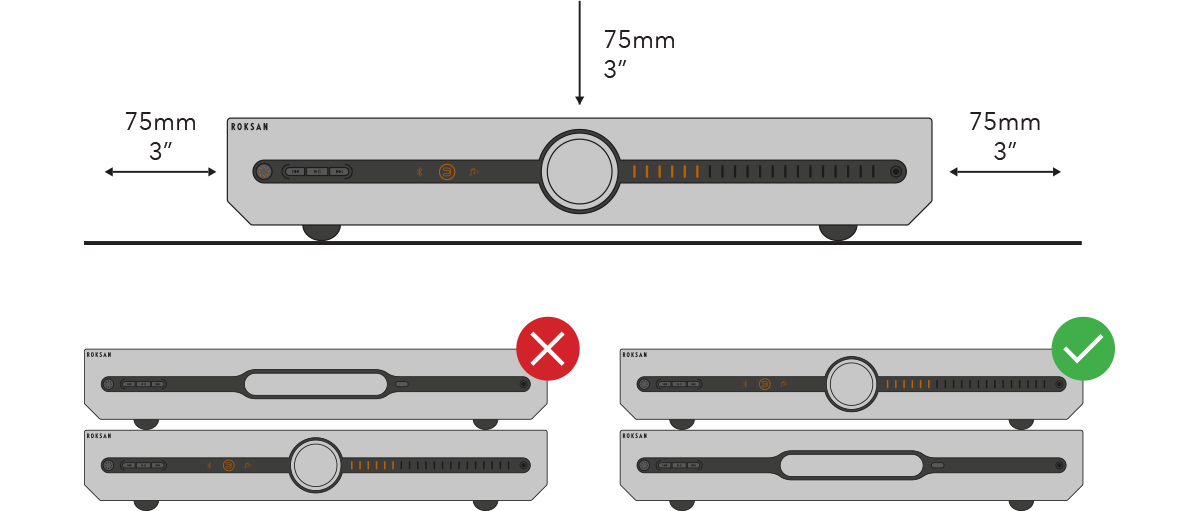
1. Place your Attessa Integrated Amplifier on a level surface, with plenty of room around it for ventilation. If you’re using it with the Attessa CD Transport, make sure the amplifier always stays on top if stacking.
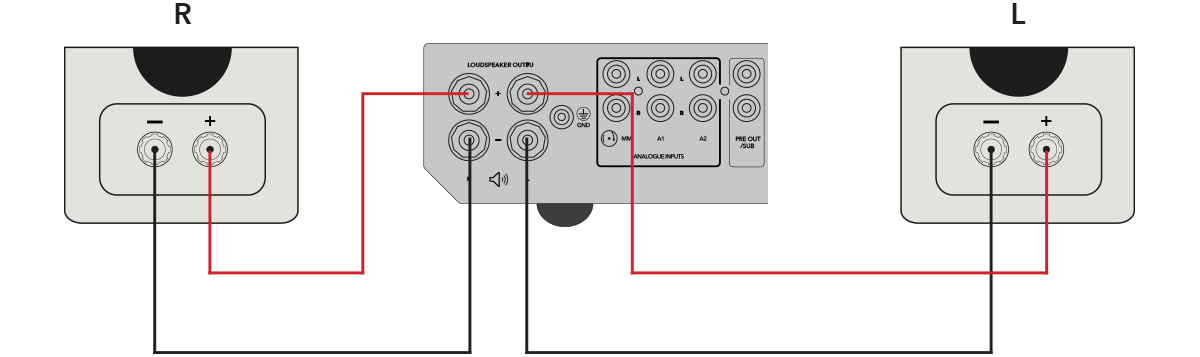
2. Use high quality speaker cables to connect to your speakers, pairing the + or – terminals on your amplifier and speakers using either stripped wire or banana plugs.
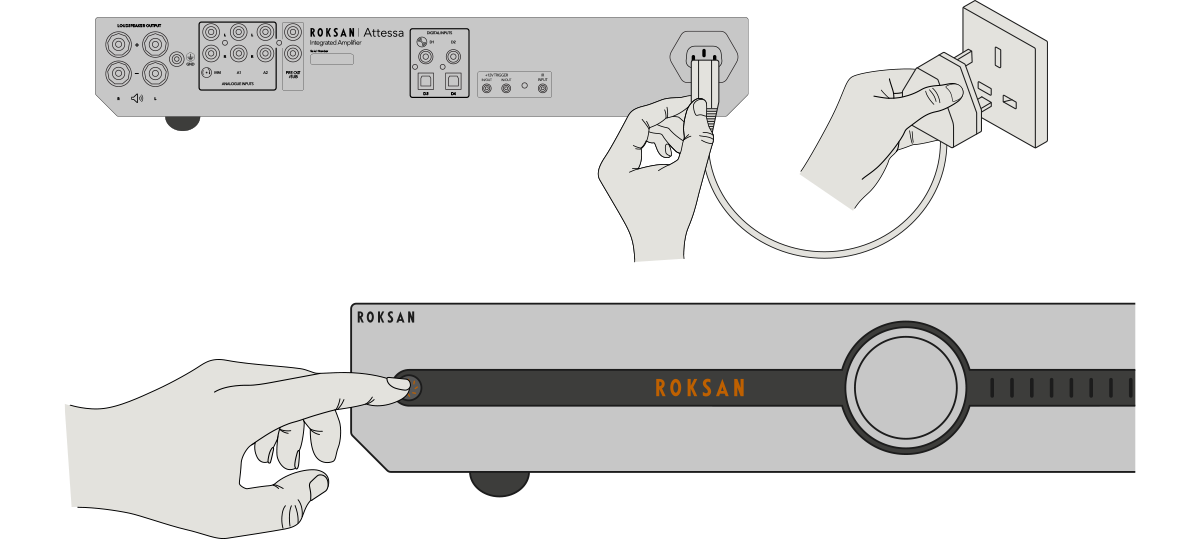
3. Using the supplied cable, connect your amplifier to the mains power supply, then push the standby button to power on.
4. Open the MaestroUnite app on your smart phone and follow the instructions until you complete set up.
If you were unable to find an answer to your query or require any further assistance, please contact our technical team via email at technical@monitoraudio.group or give us a call on +44 1268 740580.
Was this article helpful?
That’s Great!
Thank you for your feedback
Sorry! We couldn't be helpful
Thank you for your feedback
Feedback sent
We appreciate your effort and will try to fix the article