Your supplied remote control will come with 2 x AAA 1.5V batteries out of the box.
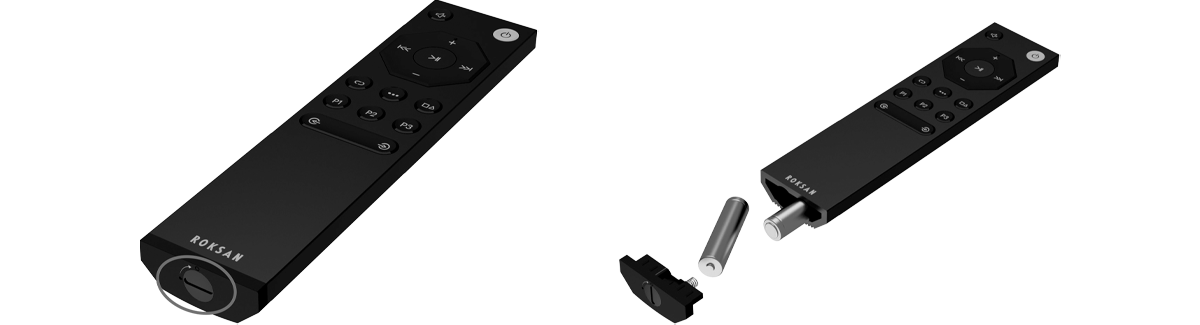
To install or replace the batteries, open the battery compartment on the bottom of the remote using a small coin or flat head screwdriver on the latch.
Insert the batteries into the bottom of the remote, checking the correct polarities as indicated on the remote.
Replace the battery compartment and turn the latch to secure.
If you were unable to find an answer to your query or require any further assistance, please contact our technical team via email at technical@monitoraudio.group or give us a call on +44 1268 740580.
Was this article helpful?
That’s Great!
Thank you for your feedback
Sorry! We couldn't be helpful
Thank you for your feedback
Feedback sent
We appreciate your effort and will try to fix the article